ysabetwordsmith: Text says Dreamwidth above a yay emoticon. (Dreamwidth Yay)
[personal profile] ysabetwordsmith
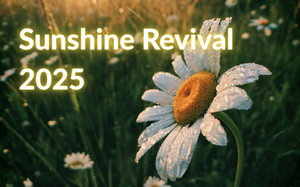
The old [community profile] sunshine_challenge is defunct, but other folks are reviving it this summer with the [community profile] sunshine_revival. See the schedule and link below for more information.  There will be a friending meme if you want to meet new folks.  Spread the word!

Sunshine-Revival-2025-Banner-3.png

Read more... )
haunted_cherries: A close up picture of dark red cherries (Default)
[personal profile] haunted_cherries
Heylo everyone, and happy Friday Eve!! I've been posting fic and screeching around on DW for a while now, so much so that I've made the decision to transfer most (if not all) of the fic I've posted on AO3 to here!!

The snag I've run into is that I DO have quite a few chaptered fics that I've written, and I was wondering if anyone had any advice on some ways that folks have posted chaptered fics to DW? I did a search and couldn't find much of anything for this specific scenario, so figured I'd ask here just in case! Thanks in advance!! ^ o^)/ 💕

EDIT 5/7/25: Thanks so much for all the input thus far, everyone!! [personal profile] abyssal_sylph shared this post from [personal profile] amiserablepileofwords , so I'm linking it here just in case it can help others who stumble upon this post!! Cheers! ^ __^)b

EDIT 7/16/25: Circling back to link another method from [personal profile] zavodilaterrarium for the curious!! Thanks so much for sharing all the resources, everyone!! ❤️
ysabetwordsmith: Cartoon of me in Wordsmith persona (Default)
[personal profile] ysabetwordsmith
Announcing the May Trope Mayhem Prompt List for 2025!

May Trope Mayhem is a multi-fandom/original creation event open to writers, artists, and creators of all kinds! Our creators have shared their favorite tropes, and we’ve put together a list of 31, one per day through the month of May. We encourage creators to join us for this month of fun tropey mayhem.
Our goal is to promote motivation and help with habit building, so we’re encouraging authors to keep their ficlets under 1,000 words, artists to stick to making just a sketch, gif makers to only do a single image, etc., as applicable to whatever you’re making.


Read more... )
soc_puppet: A brown hooded rat seen from behind as it is surfing the web at a desktop computer; barely visible on the computer's screen is the Dreamwidth logo (Computer time)
[personal profile] soc_puppet
I've covered What to post about on Dreamwidth, but now that I think of it, that may have been putting the cart before the horse! That sort of thing is good to know, but harder to do if you don't know how to post on Dreamwidth.

When it comes to actually posting, you'll want to pick a text format to use. I personally use Casual HTML, since it's what I was used to on LiveJournal before Dreamwidth, but I know a lot of Tumblr users are going to be more familiar with Rich Text Entry (RTE); if you want to know more about the RTE options, [personal profile] teres wrote a great breakdown right over here. To find out what HTML you can use on Dreamwidth, check out this FAQ page.

Once you have that done, the first thing I'm going to recommend you do is to turn on the Beta "Create Entries" page. Why? Because Dreamwidth is going to make it the default sometime soon, and it'll be better to get used to it sooner rather than later. Also, it's just superior to the original Create Entries page in a lot of ways! I'll go into more detail on that in a moment.

To turn on the Beta "Create Entries" page, first go to the Organize tab. At the bottom of the drop-down menu is the option, "Test Beta Features". On that page, you have the ability to opt in to helping test five different beta features. At the top of that list is the Beta Create Entries page. Click to Opt In on that, and you should be good to go! (I also recommend opting in on the beta Inbox page.)

Now comes some of the fun: If you go visit the Create Entries page now, you'll notice some different features. At the very top, right above the subject line, is the option "Rearrange Panels". Surprise! You can now decide, with some limitations, how you want the Create Entry page to look!

(With thanks to [personal profile] teres for the reminder: There are some animations built into this process; if you want those to go away or to be minimized, that is the final option to click in the Rearrange Panels field.)

Let's get into the nitty gritty of that )

One field that won't move is the field where you select whether to post and what privacy level to post at; you can find it right below the text entry field. There you will find one or two drop-down menus. The first menu will allow you to choose the privacy level of the post, be it public (anyone can read it), access-locked (only people you grant access to can read it), access-locked to a specific subset of your access list (a custom access filter), or private (only you can read it).

The second drop-down menu is for whether you're posting to your own journal or to any communities you may be a member of that allow you to post. The default option from both the "Create: Post Entry" drop-down and the "Post" option on the left-hand side of the navigation strip at the top of various Dreamwidth pages is to your own journal, but if you are visiting a community and click the "Post" option on the right-hand side of the navigation strip, it will select that community for you instead. If you post using that method, you will not have a drop-down menu to choose another location from.

And those are the basics of the beta Create Entries page! If I missed anything, or if you have any questions, please feel free to comment and let me know, and I'll do my best to clear things up.

Edit: Shoot, I forgot to talk about cut tags. Next post, maybe?

Edit 2: With thanks to [personal profile] teres for suggestions to make this post better!
ysabetwordsmith: Text says Dreamwidth above a yay emoticon. (Dreamwidth Yay)
[personal profile] ysabetwordsmith
A friend asked me about how to post fiction or other writing on Dreamwidth. Lots of people don't post their content here, just a thumbnail description and a link to it on some other service. This is very frustrating to readers who aren't on that other service and thus can't see the content. Therefore, it's best to post content here, and then you can crosspost it wherever else you want for wider exposure. There are plenty of people who do this, in various approaches. I encourage posting whole creative content here, so let's explore some ways of doing that.

Read more... )
ysabetwordsmith: Cartoon of me in Wordsmith persona (Default)
[personal profile] ysabetwordsmith
Here are a couple of community activity updates from [personal profile] soc_puppet:

[community profile] moodthemeinayear is nearing its next break period! It begins on Wednesday. Following that break, the Minimum and Medium Tracks will reset, so it's a great time to jump on for anyone who wants a schedule to follow.

[community profile] summerofthe69's amnesty period will end on Monday, with theme suggestions for 2025 set to open on Wednesday. Voting for themes will begin in May, so you have plenty of time to ponder theme suggestions.
ysabetwordsmith: (Rose-Bay)
[personal profile] ysabetwordsmith
Today is the last day to nominate projects and patrons for the 2025 Rose and Bay Awards. If you have not yet nominated or boosted the signal, please do so now. It would be especially helpful for folks you know via places like Kickstarter or Patreon, as I'm not on those sites.

These are the handlers for the 2025 award season:
Art: [personal profile] fuzzyred Nominate art! Vote for art! (3 nominations)
Fiction: [personal profile] curiosity Nominate fiction! Vote for fiction! (4 nominations)
Poetry: [personal profile] fuzzyred Nominate poetry! Vote for poetry! (4 nominations)
Webcomic: [personal profile] ysabetwordsmith Nominate webcomics! Vote for webcomics! (2 nominations)
Other Project: [personal profile] ysabetwordsmith Nominate other projects! Vote for other projects! (3 nominations)
Patron: [personal profile] curiosity Nominate patrons! Vote for patrons! (3 nominations)
ysabetwordsmith: Text says Dreamwidth above a yay emoticon. (Dreamwidth Yay)
[personal profile] ysabetwordsmith
[community profile] getyourwordsout  is a writing community with limited enrollment.  If you want to find other writers on Dreamwidth to support each other's goals, this is a good opportunity.

Pledging for GYWO 2025 opens Dec 12, 2024.
ysabetwordsmith: (Crowdfunding butterfly ship)
[personal profile] ysabetwordsmith
The October [community profile] crowdfunding Creative Jam is now open with a theme of "Trees."  Come give us prompts, or claim some for your own inspiration.

Profile

newcomers: Text says Dreamwidth above a yay emoticon. (Default)
Newcomers to Dreamwidth

January 2026

S M T W T F S
     1 23
45678910
11121314151617
18192021222324
25262728293031

Syndicate

RSS Atom

Most Popular Tags

Style Credit

Expand Cut Tags

No cut tags
Page generated Jan. 3rd, 2026 04:59 pm
Powered by Dreamwidth Studios